It was once necessary to have graphic designing knowledge, costly software programs, and enough time in order to create a professional looking graphics. Nowadays, AI technology is revolutionizing the entire process. Canva is one of the easiest platforms that has made presentation designing, social media graphics, marketing, video, and many other kinds of visual creation very easy with the help of AI.
Canva AI makes it possible to transform your ideas into an editable visual format without having extensive graphic design expertise.
Then, what exactly are the features of Canva AI and how beneficial is it for businesses in the current era?
What Is Canva AI?
“Canva AI” is an artificial intelligence technology that works on the Canva design platform. The technologies of artificial intelligence work to assist the user to come up with ideas and designs, to edit images, to write, and to accelerate any repetitive task.
Rather than designing from a clean slate for every project, one describes the project and uses AI to design the initial draft.
For instance, when creating a social media campaign, one gives a brief description of the campaign and then uses the AI technology to come up with concepts and designs.
It becomes AI graphic design tools particularly useful for people who need professional-looking content but do not have extensive design experience.
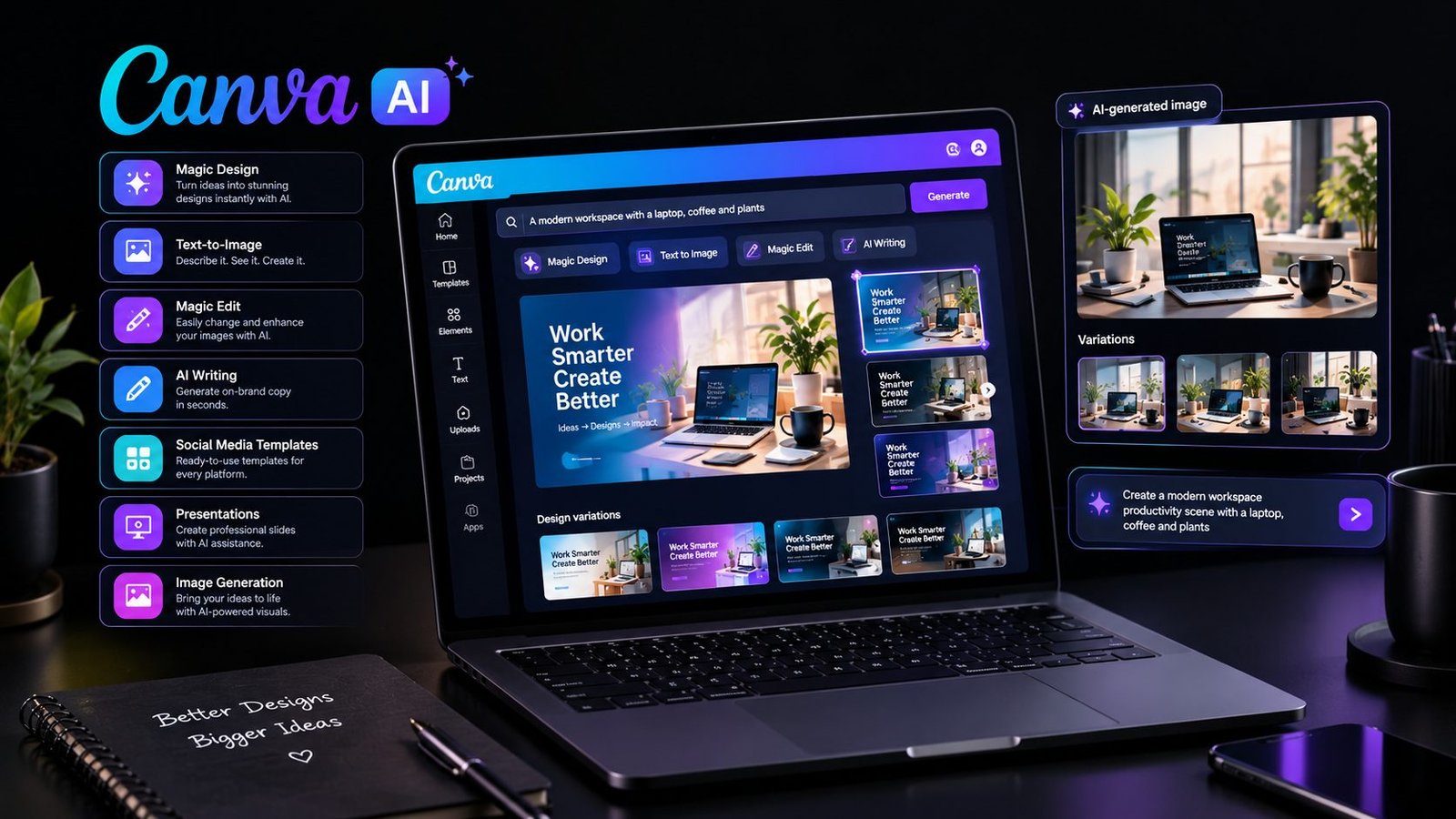
AI-Powered Design Features in Canva
One of the biggest advantages of Canva AI is the range of AI-assisted features available within the same design environment.
Some features can help with generating designs, while others are focused on editing, writing, image creation, or improving existing content.
| Canva AI Feature | What It Can Help With |
|---|---|
| Magic Design | Generates design concepts from prompts or uploaded content |
| Magic Write | Helps create and refine written content |
| Text-to-Image | Generates images based on written descriptions |
| Magic Edit | Allows users to modify parts of an image |
| Background tools | Helps remove or replace image backgrounds |
| AI-powered editing | Speeds up common image editing tasks |
| Design suggestions | Helps users develop layouts and visual concepts |
The important point is that AI does not necessarily replace the entire design process. Instead, it can provide a starting point that users can customize.
Canva Text-to-Image and Magic Design
Two of the most useful areas for people exploring Canva AI tools are text-to-image generation and Magic Design.
Canva Text-to-Image
Tools like text-to-image allow individuals to provide a description of an image in natural language.
In case of a small business owner, he/she can give an instruction for an image depicting a futuristic workspace with a laptop, neutral colors, and professional environment.
The AI will come up with a visual concept from the description given.
This can be used for the following purposes:
Blog post images
Social media images
Presentation visuals
Marketing campaign visuals
Website visuals
Creative visuals
However, generated images must be carefully checked. Generated visuals can include odd features or things that are not part of the actual prompt provided.
Magic Design
Magic Design, on the other hand, is centered on translating concepts or content into full-fledged design concepts.
Rather than selecting fonts, layouts, graphics, and elements manually, users can simply input their content, and the AI-powered design system at Canva will make suggestions for appropriate layouts.
Such an approach can help save significant time when designing multiple similar content pieces.
For instance, a marketing team can take one campaign concept as the base for designing all sorts of social media posts, presentations, and advertisements.
How Businesses Can Use Canva AI
Businesses do not necessarily need a dedicated design team for every small visual task. Canva for business can help teams create everyday marketing materials more efficiently.
A company could use AI-assisted design tools for:
Social Media Marketing
Businesses constantly need fresh content for platforms such as Instagram, Facebook, LinkedIn, and other social networks.
Canva AI can help generate design ideas and visual variations, allowing marketers to spend more time on strategy and less time building every graphic manually.
Presentations
Creating a professional presentation can take hours when every slide is designed from scratch.
AI-assisted layouts can help users organize information into visually consistent slides while allowing them to make final adjustments themselves.
Content Marketing
Bloggers and content teams can create featured images, promotional graphics, infographics, and social media assets around their written content.
This creates a more connected visual identity across different marketing channels.
Small Business Branding
Small businesses often need logos, promotional graphics, flyers, social media designs, and presentations without having a full-time designer.
Canva provides templates and AI-assisted tools that can make these tasks more accessible.
Canva AI vs Traditional Graphic Design
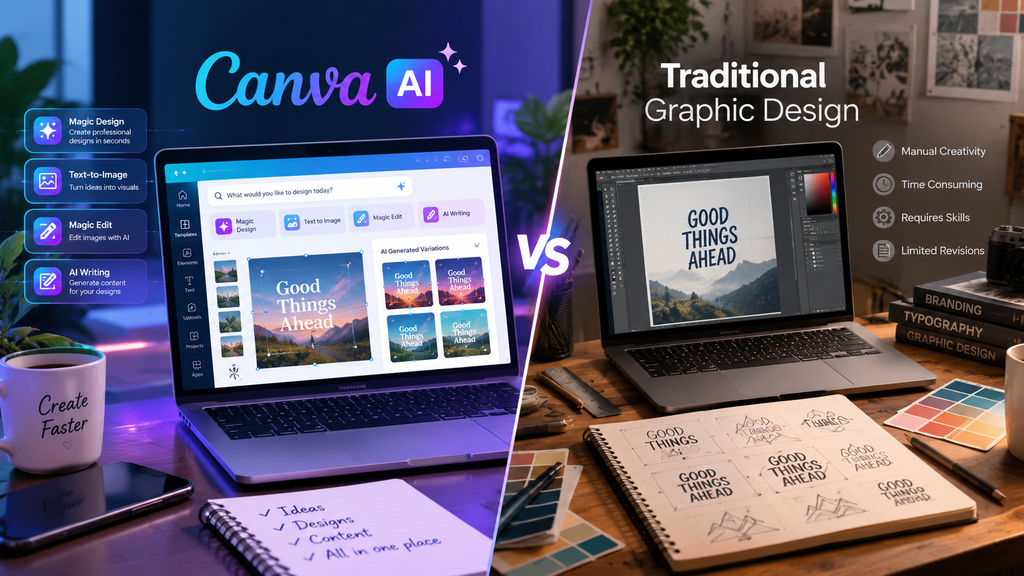
AI-powered design and traditional graphic design are not exactly the same. They approach the creative process differently.
| Area | Canva AI | Traditional Graphic Design |
|---|---|---|
| Initial concept | AI can generate starting ideas | Designer develops concepts manually |
| Speed | Generally faster for routine work | Can take more time |
| Skill requirement | Beginner-friendly | Often requires professional training |
| Customization | High, but depends on available tools | Extremely flexible |
| Creative control | User guides and edits AI output | Designer controls the entire process |
| Repetitive tasks | Easier to automate or accelerate | Usually handled manually |
| Professional projects | Useful for many marketing needs | Often preferred for highly specialized work |
This does not mean AI automatically produces better design. A skilled designer can make creative decisions based on brand identity, audience, culture, and context that automated tools may not fully understand.
The strongest approach for many users is to combine AI assistance with human judgment.
Benefits of Using Canva AI
There are multiple reasons for the popularity of beginner-friendly AI design tools.
More Efficient Design Process
AI can shorten the process of going from the initial concept to a final product.
Beginner-Friendly
One does not need to be familiar with all technical nuances of professional design software to create something functional.
Inspiration Sources for Designs
If one does not have an idea about how to proceed with their design, the ideas generated by AI can show multiple directions.
Useful for Marketing Teams
Teams can create social graphics, presentations, ads, and other kinds of content starting from scratch.
Works With Multiple Formats of Content
One project may need multiple pieces of visual content. Canva has a more extensive design ecosystem that allows one to create such content easily.
Limitations of Canva AI
However, despite having various benefits, AI-assisted design has several limitations.
Generated content should not automatically be considered final. The users have to ensure its correctness, quality, consistency, and relevance.
Here are some of the most common limitations:
The generated images could have unexpected elements;
The generated content could not fully correspond to the brand identity;
The creativity of humans is essential for special campaigns;
Professional projects might require specific software;
The text generated by AI might require editing;
The outcome significantly depends on the quality of the user’s prompt.
This means that in terms of businesses, the Canva AI is more of an assistant than a tool that makes human review unnecessary.
How to Get Better Results From Canva AI
The success of an AI-generated image can depend on the clarity of the description of the outcome that a person wants to get.
It is better to use a more explicit instruction, such as:
“Make a picture for the business.”
Instead of giving a general instruction like this one:
A more particular prompt can include information about the subject, style, target audience, colors, composition, and the purpose of the picture.
For example:
“Make a clean and professional social media picture for a small tech business in a style of a modern workplace, minimalistic composition, soft neutral colors, and a premium corporate style.”
Such clear instructions can provide a more accurate understanding of what the AI needs to do.
The Future of AI-Powered Design
The connection between AI and graphic design will continue to evolve.
In the future, AI design programs could become capable of creating an entire campaign based on a simple description. Rather than generating one image, AI would be used by the user to generate multiple images for websites, social media, presentations, advertisements, and other outlets.
This could make design easier for smaller companies and individual creators.
However, at the same time, creativity will not lose its importance. The positioning of a brand, story-telling, emotional connections and creative vision cannot be generated by an AI program alone.
Thus, the future does not lie in the replacement of every designer and marketer by AI, but rather in their collaboration with AI for greater efficiency and creativity.
Is Canva AI Worth Using?
For newcomers, marketers, entrepreneurs, content creators, and small businesses, the Canva AI could be a useful tool for fastening the design process.
The main benefit of the Canva AI is that anyone will have a chance to try out this tool without being aware of professional design software.
Nevertheless, one should bear in mind that AI-created content should be viewed as a basis for further work, not as a finished product.
Today, AI is incorporated into various digital processes – from graphics design and content creation to customer communication. Companies can use tools to archive AI chatbot conversations and keep useful interactions organized for future reference.
Frequently Asked Questions About Canva AI
Is Canva AI free?
Canva has different plans with various features available on them, and AI-related capabilities can differ from plan to plan. Therefore, you will need to look at the details of a particular plan of Canva before signing up.
Can Canva AI generate images?
Yes, Canva has AI-based image generation feature allowing users to generate images based on the description they provide.
Can beginners use Canva AI?
Yes, Canva is made so that people without experience in professional graphic design could still use this software.
Can Canva AI substitute for graphic designers?
AI allows performing some parts of the job faster and automated, but cannot substitute professional graphic designers in full as these professionals have creative thinking, understand brands better, and have special abilities and skills.
What kind of content can businesses make using Canva AI?
Using Canva, including AI features, businesses can create different kinds of visual content, for example, social media graphics and other presentations.
Final Thoughts
Canva has democratized graphic design, whereas AI has helped streamline the process of creating new ideas and designs. Using text-to-image and Magic Design capabilities of Canva or other AI-powered services, one can use these services to transform basic concepts into well-polished visuals.
What should be kept in mind when using AI for creation of content is that one should treat AI as a helper. Integrating ideas from AI-powered tools together with human editing skills and knowledge about the brand will allow companies and creatives to generate valuable content.
In future, as the technology advances further, AI and platforms like Canva will gain even greater significance.