
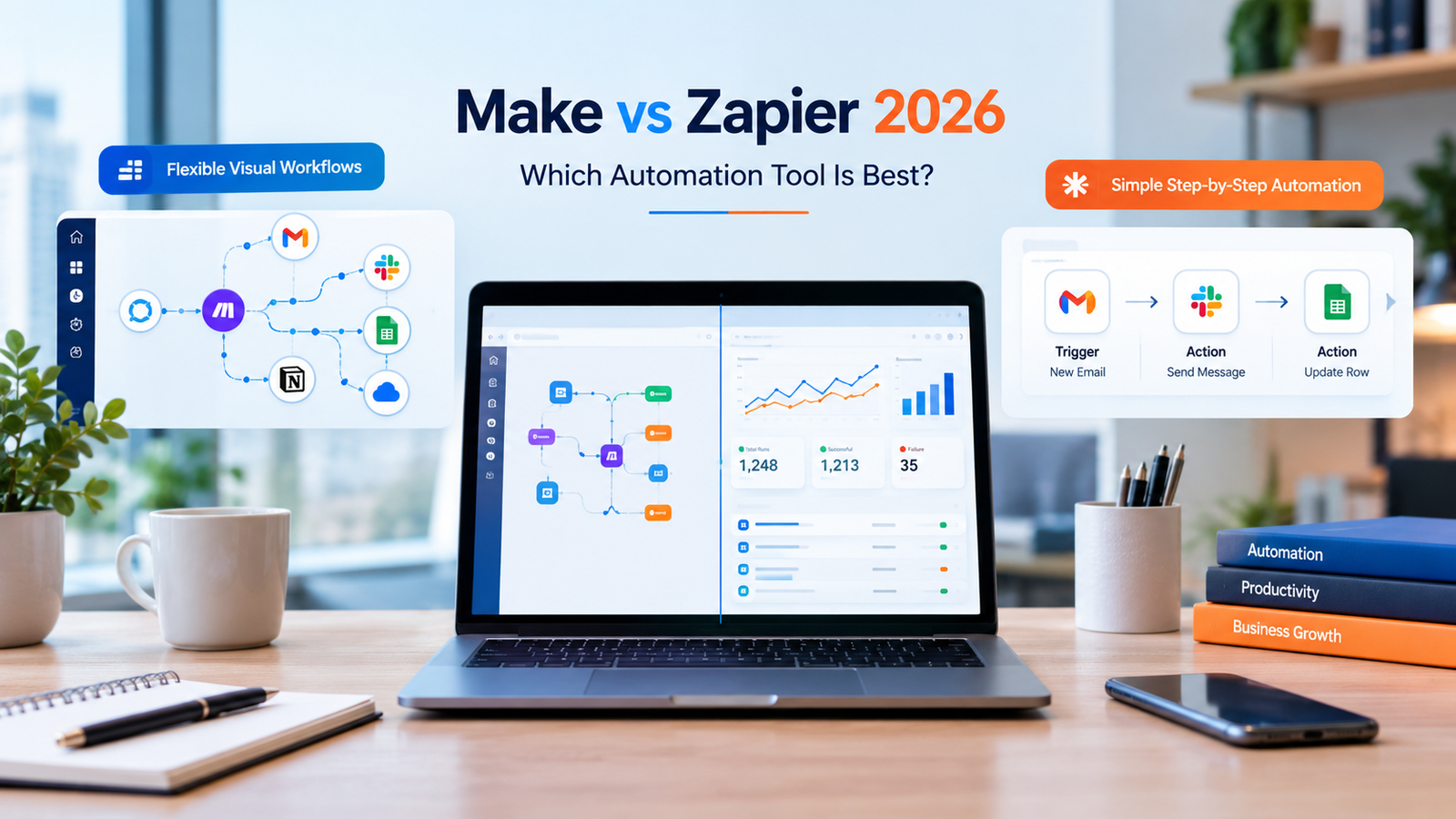
Choosing the right automation platform can save time cut down on tasks and help a business link up its favorite apps.. With different pricing plans, workflow builders, app connections and AI tools deciding between Make and Zapier isn’t always simple.
This Make vs Zapier comparison shows how each platform works how their prices compare what features matter and which one fits different business needs best.
Make is known for its visual workflow builder and flexible automation rules. Zapier focuses on connecting apps using step-, by-step workflows. Both can automate business tasks. The better pick depends on how complex your workflows are, your technical know-how, your budget and the apps you need to connect.
By the end of this guide you’ll know which platform suits your business and how to pick one without paying for features you don’t need.
Make vs Zapier: Quick Comparison
| Feature | Make | Zapier |
|---|---|---|
| Best for | Complex, visual workflows | Quick, straightforward automation |
| Workflow builder | Visual scenario canvas | Step-by-step workflow builder |
| Automation logic | Routers, filters, iterators, and branching | Triggers, actions, filters, and multi-step workflows |
| Pricing model | Credits | Tasks |
| Free plan | 1,000 credits per month | 100 tasks per month |
| App integrations | Broad integration library | Broad integration library |
| AI automation | AI apps, agents, and connected scenarios | AI-powered workflows and agent-related tools |
| Learning curve | More to learn for complex scenarios | Often easier for beginners |
| Ideal user | Agencies, operations teams, and workflow builders | Beginners, marketers, and businesses seeking quick connections |
Plan limits and features can change. Review the official Make pricing page and Zapier pricing page before purchasing.
What Is Make?
Make is a no-code automation platform that allows users to connect apps and create workflows using an interface. These workflows are known as scenarios.
Than just listing a series of actions users can design processes that take different paths based on the data they receive. This makes Make ideal for workflows that involve conditions, data changes, multiple steps or several connected actions.
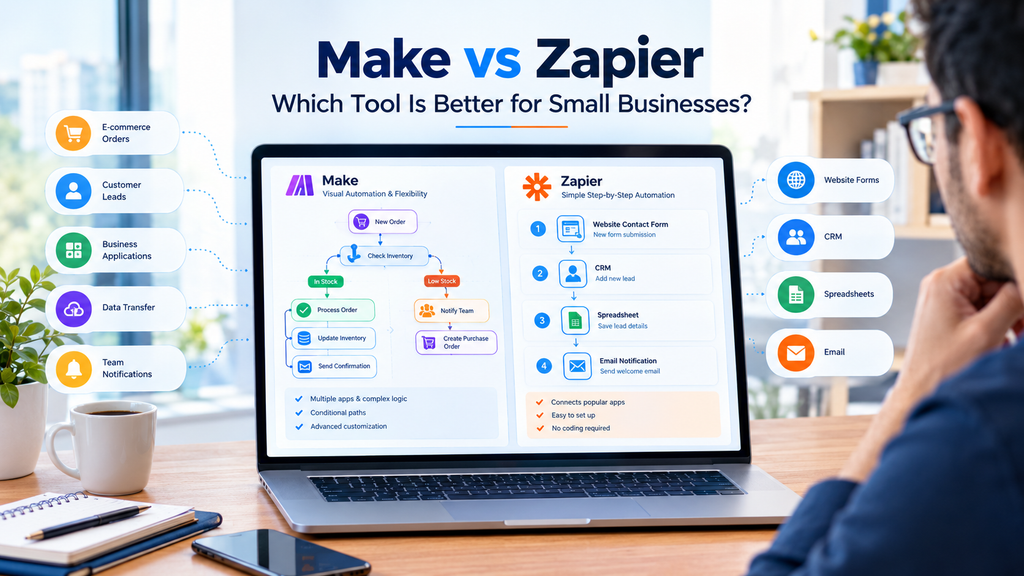
For instance an online store might set up an automation that starts when a new order arrives. The system checks the order value updates a spreadsheet sends customer details to a CRM and notifies the team.
If the order meets a condition the workflow follows one route. If it doesn’t the system can send it to a process.
Main Features of Make
- Visual scenario builder for mapping workflows.
- Routers and filters for conditional automation.
- Tools for transforming and organizing data.
- Connections between supported applications and services.
- Webhooks and API access for suitable integrations.
- AI-related tools and agent capabilities for supported workflows.
Make is especially useful when you want to watch how information moves through steps. I find Makes visual style can make hard processes easier to grasp once you get used to the interface.
Still hard situations may need testing, fixing and a clearer idea of how data flows between parts.
What Is Zapier?
Zapier is a tool that helps people automate tasks between apps. It uses something called Zaps to do this. A Zap begins with a trigger, which’s an event that starts the process. After the trigger Zapier can perform one or more actions.
For instance when someone fills out a contact form Zapier can automatically add that information to a spreadsheet. It can also create a record, in a CRM system.. It can send a notification to a salesperson.
This kind of automation saves time. This kind of automation helps people connect apps they already use such, as Gmail, Google Sheets or Salesforce without needing to write code. This kind of automation means users do not have to build custom integrations from scratch. Users just set up a Zap. Let Zap run.
Main Features of Zapier
- Trigger-and-action automation.
- Multi-step workflows on eligible plans.
- Filters and conditional workflow options.
- Connections to a large range of business applications.
- AI-powered workflow features.
- Webhooks and developer options for supported use cases.
Zapier is a place to start for people who want to automate daily tasks without spending a lot of time learning a complicated workflow tool.
Its main consideration is usage. As a workflow performs more billable actions, the number of tasks consumed can increase. Businesses should estimate their expected usage before selecting a plan.
Make vs Zapier: What Are the Main Differences?
The biggest difference is not simply the number of features each platform offers. It is how each platform helps you design, operate, and maintain an automation.
1. Ease of Use
Zapier is often a starting point for people who are just starting out because the way it works is easy to understand. You pick an event link the app and say what should happen next.
Make also offers automation without needing to know how to code. It gives more options for creating complicated processes. New users might take longer to learn about modules, paths, data types and how to fix mistakes.
Zapier is the choice for most beginners.
Make is the choice, for people who like to see everything visually.
Your own experience could be different based on the apps you use and how complicated your tasks are.
2. Workflow Complexity
Both platforms offer -step automation but they have different ways of handling how workflows are built.
Make is useful when a process has branches needs data transformation requires repeated actions or needs a detailed visual layout. It can help people see how information moves through a situation.
Zapier is good for workflows that link common business tools. It also offers advanced automation features on certain plans.
Imagine a management workflow. A basic process could add each lead to a CRM and send a notice to the sales team. Either platform can handle that well.
An advanced process might sort leads, check conditions send each lead to a different team update several records and manage errors. Makes visual way of working may be easier for creating and checking this kind of process.
Winner, for workflows that’re very visual and have many branches: Make.
3. Pricing and Usage Costs
Pricing deserves careful attention in any Make vs Zapier comparison because the platforms measure usage differently.
Make uses credits. Each module action in a scenario generally consumes credits, although usage depends on the operation and the specific module.
Zapier uses tasks. Successful action steps generally consume tasks, while triggers and several built-in tools may be treated differently. Some AI features can consume multiple tasks depending on the model and operation.
Here is a simple overview of the advertised free plans:
| Pricing detail | Make | Zapier |
|---|---|---|
| Free allowance | 1,000 credits per month | 100 tasks per month |
| Main usage measure | Credits | Tasks |
| What to estimate | Module executions and scenario frequency | Successful actions and workflow frequency |
| Best cost-checking method | Test a representative scenario | Test a representative Zap |
Do not think that one credit is the same as one task, in every case. The platforms measure usage in ways so check how many completed workflows you can run with your planned budget.
Make could be appealing for users who need control over complicated situations. Zapier could be worth the cost when a simple workflow saves a lot of time or needs a connection.
Before picking a plan figure out how often each workflow will run, how steps it has and how much extra space you might not use.
4. App Integrations
Zapier is famous for its collection of apps which makes it helpful when a company uses many different tools.
Make also provides a variety of connections along with choices like HTTP requests and API links for the right services.
The main question is not which service has the number of apps listed. It is whether the service works with the apps and actions your work process needs.
For example check if the connection can create entries change old information look for data and manage the trigger you need. Just because an app is, in a list does not mean all functions are available.
Tip: Make sure your most important connections work before signing up for a paid plan.
5. AI Automation Capabilities
I have looked at both Make and Zapier. Both Make and Zapier can support AI‑powered business workflows. The exact features and costs depend on the plan and the tools involved.
With Make users can build scenarios that combine supported AI services with business applications. A workflow might collect customer messages send text to an AI model for classification and route the result to the destination.
Zapier also supports AI‑powered automation allowing businesses to connect AI processing with actions in their existing apps.
I imagine that a marketing team could collect inquiries use an AI model to categorize each message save the result in a CRM and notify the correct team member.
In either platform AI output should be checked before it triggers decisions. Protect data restrict access and require human approval, for actions involving money, customer commitments or critical business records.
Winner: There is no winner. Compare the AI feature, model access, usage charges and controls required for your workflow.
Make vs Zapier: Which Tool Is Better for Small Businesses?
Small businesses often need to save time without making things more complicated or expensive.
The best option depends on the type of work you want to automate.
Choose Make If You Need:
- Workflows that have different paths and decisions.
- More visual control when moving data around.
- Detailed changes to data that need to be done.
- Detailed data transformation.
- Scenarios that might change or grow over time.
For example a small e-commerce company might use Make to handle orders split them by type, update inventory and tell teams about the orders based on specific conditions.
Choose Zapier If You Need:
- links between popular business apps.
- Simple ways to collect leads and follow up.
- Automated. Updates to spreadsheets.
- A setup that is easy to get started with.
- A system that people on your team can learn quickly.
For example a consulting business could connect its contact form to a CRM add leads, to a list and send a message inside the team about the new lead.
For more practical examples, read our guide to AI Automation for Small Businesses in the USA.
Real-World Automation Examples
The best way to compare automation platforms is to test them against real tasks instead of choosing based on feature lists alone.
Example 1: Lead Capture and Follow-Up
A new person fills out a form on your website.
The system can gather the contact information make a record in the CRM and send a message to the sales team. An AI step might also sort the question by subject if the right connection and plan is in place.
Zapier is a choice, for a simple way to get leads. Make could be better if leads have to go through paths depending on specific rules.
Example 2: Content Workflow Automation
A content team can automate some parts of its process.
For example when a new idea is added to a spreadsheet the system can automatically create a task in a project management tool. It can also generate a draft brief. Send a notification to the editor.
Artificial intelligence can help by summarizing the idea or offering suggestions for an outline.. The editor must review the content carefully before it goes live. This ensures accuracy and quality. The team still needs to stay involved to make sure the final output is right.
Our guide to AI Workflow Automation explains how connected workflows can reduce repetitive business tasks.
Example 3: Customer Support Routing
A company receives support requests through a form or an email inbox.
The workflow can categorize support requests store the information and send the support request to the team. Urgent or unclear support requests can be flagged for review.
In my experience either platform may work. Make could be useful when routing rules are complex while Zapier can be effective when the process is relatively simple and its required integrations are available.
Example 4: AI-Assisted Business Processes
Businesses can also combine AI with automation to extract information, summarize text, or classify incoming data.
For more advanced use cases, explore our guide to AI Lead Qualification, which explains how AI can help organize inquiries and route prospects to the next step.
Common Mistakes to Avoid
Choosing an automation platform is the first step. Poor workflow design can lead to costs and results that are not reliable.
Ignoring usage limits: A workflow that runs every minutes may use more credits or tasks than planned.
Automating steps: Adding more actions does not make a workflow better. Start with a business problem.
Ignoring errors: Workflows can fail when an app connection ends required data is not there or an API changes. Test failure. Notifications.
Giving AI much access: AI should only have the permissions it needs. Require approval, for sensitive actions.
Skipping real-world testing: Test cases, missing information, duplicate records and unexpected responses before using an automation in daily operations.
How to Choose Between Make and Zapier
Use this way of making a choice before you pay for any platform.
- List your tasks. Show the steps you take. Write down what starts the process what needs to be done what rules are. What happens at the end.
- Map the workflow. Write down the trigger, required actions, conditions, and final result.
- Check integrations. Guess how much you will use it. Figure out how times it will run and how many things will cost money.
- Estimate usage. Calculate expected runs and billable operations.
- Build a small test. Try one representative workflow before migrating important business processes.
- Measure the result. Look at how time you save how reliable it is, how much it costs and how much work it takes to keep it going.
- Expand carefully. Grow slowly. Add processes only after the first one is working well.
If you are also exploring AI agents, our guide to How to Use AI Agents can help you understand how agent-based systems fit into broader automation strategies.
Final Verdict: Make vs Zapier
So which platform should you pick?
Make is an option for complicated visual processes. It is worth thinking about when you need paths in your work detailed information management and more control over how data moves during a process.
Zapier is an option for simple app links. It can be a choice when you want to make everyday tasks automatic fast and your needed connections are available.
No one platform is always better for all companies. The best one depends on what your work needs how much it costs to use how comfortable you are with technology. How much time you want to save.
Begin with one task that happens over and over try both platforms if you need to and look at the cost of getting the same outcome. An automation that works well and solves an issue is more important than a platform, with features you never use.
Frequently Asked Questions
Is Make better than Zapier?
Make can be better for visual workflows branching logic and detailed data handling. Zapier may be better for beginners who need connections between common business apps. The best choice depends on the task.
Is Make cheaper than Zapier?
Make may be cheaper, for some workflows. Costs depend on how much you use it. Make counts credits while Zapier counts tasks. Compare the cost of running your own workflow instead of just looking at starting prices.
Is Make easier to use than Zapier?
Zapier is often easier for beginners because its trigger-and-action approach is straightforward. Make provides a builder with more flexibility although complex scenarios can take longer to learn.
Can. Zapier automate AI workflows?
Yes. Both support ways to connect AI capabilities, with business processes. Available features, model options and usage charges depend on the platform, plan and integrations involved.
Which tool is better for businesses?
Zapier might be the choice for a small business that wants to set up simple automations fast. Make could be better for a business dealing with complicated processes and multiple decision paths. It’s important to estimate the costs and test a workflow before making a decision.
Can I use Make or Zapier without coding?
Yes both Make and Zapier are designed for no-code automation. You can build workflows without writing code. However some advanced features may need skills, such, as working with APIs or adding code-based steps.
Should I use both Make and Zapier
You can use both Make and Zapier if each Make and Zapier solves a problem but running two platforms can increase maintenance and subscription costs. Start with one platform. Add another only when there is a clear benefit.
How do I choose the right automation platform
List your required apps, workflow steps, conditions, expected usage and budget. Test a workflow verify that errors are handled properly and choose the platform that provides the best balance of reliability, flexibility and cost.