

Introduction
Repetitive business tasks are everywhere.
Employees spend hours reading emails, entering information, organizing documents, updating spreadsheets, qualifying leads, preparing reports, answering similar customer questions, checking websites, moving information between applications, and completing other routine activities.
Individually, these tasks may appear small. Together, they can consume a significant amount of working time.
Traditional automation has already helped businesses reduce some of this workload. Rule-based systems can trigger emails, move data, update records, and perform other predictable actions. However, traditional automation becomes more difficult when a workflow involves unstructured information, changing conditions, natural language, or decisions that cannot be described by a simple if-then rule.
This is where AI agents are becoming increasingly useful.
AI agents can combine artificial intelligence, business context, instructions, connected tools, and workflows to work toward a defined objective. Instead of requiring a person to manually guide every step, an appropriately configured agent can analyze information, determine the next action within its permissions, interact with software, and continue through a workflow.
The goal is not to automate everything simply because automation is possible. The better approach is to identify repetitive processes where AI can provide practical value while keeping appropriate human oversight.
Businesses can also combine AI agents with broader AI automation strategies. For example, an organization may use AI for customer support, research, content operations, lead qualification, data processing, reporting, and internal knowledge management.
This guide explains how AI agents can automate repetitive business tasks, how they work, where they are most useful, what risks businesses should consider, and how to start implementing them successfully.
What Are AI Agents?
An AI agent is a software system designed to work toward a particular goal by interpreting information and performing actions within a defined environment.
A conventional chatbot usually responds to a question or instruction. An AI agent can go further by working through multiple steps.
For example, imagine a company receives a new sales inquiry.
A basic AI tool could summarize the inquiry.
An automation workflow could automatically send the inquiry to a salesperson.
An AI agent could potentially read the inquiry, identify the customer’s requirements, classify the lead, check approved business information, determine which salesperson should receive it, update the CRM, prepare a personalized follow-up message, and notify the appropriate team member.
The exact capabilities depend on the AI model, integrations, permissions, instructions, and workflow design.
This distinction is important because an AI agent is not simply a more advanced chatbot. It is better understood as an AI-powered system that can participate in a workflow and perform multiple connected actions.
How AI Agents Automate Repetitive Business Tasks
The automation process usually starts with a goal.
The agent receives information, interprets the situation, determines what needs to happen, uses available tools, evaluates the results, and continues until the workflow reaches its intended stage.
A simplified process looks like this:
Input → Understand → Plan → Act → Check → Continue or Escalate
For example:
New customer request → AI understands request → Finds relevant information → Creates response → Updates system → Sends for approval
This is different from a simple fixed automation because the AI component can interpret information that may not always look exactly the same.
A customer might describe the same problem in several different ways. A traditional rule-based workflow may need many conditions to recognize those variations. An AI agent can potentially interpret the language and classify the request according to its instructions.
However, AI agents should still operate within clearly defined boundaries.
A business should specify:
- What the agent is allowed to access
- Which tools it can use
- What actions it can perform
- Which decisions require human approval
- What information it should ignore
- What happens when information is missing
- When the workflow should stop
- When the task should be transferred to a person
Good automation is not about giving AI unlimited control. It is about giving an AI system the right amount of access to complete a useful task safely. For a broader look at how AI automation is being applied in business environments, explore our guide to Droven io AI Automation in USA, which covers practical applications, workflows, and emerging use cases.
AI Agents vs Traditional Automation
Traditional automation remains valuable.
If a process follows a predictable sequence, conventional automation can often handle it efficiently.
For example:
New form submission → Add contact to CRM → Send confirmation email
There may be no reason to introduce an AI agent into such a straightforward workflow.
AI becomes more useful when the process requires interpretation.
For example:
New customer message → Understand intent → Identify issue → Search approved knowledge → Determine appropriate response → Prepare reply → Escalate if necessary
The difference is not simply that one system is “old” and the other is “new.”
The real difference is the type of problem being solved.
| Feature | Traditional Automation | AI Agent |
|---|---|---|
| Rules | Mostly predefined | Can interpret instructions and context |
| Data | Usually structured | Can work with structured and unstructured information |
| Workflow | Predictable | Can handle variable situations |
| Decision process | Rule-based | AI-assisted within defined boundaries |
| Natural language | Limited | Stronger language understanding |
| Adaptability | Depends on rules | Can interpret variations |
| Human involvement | Depends on workflow | Can include approval and escalation |
| Best use | Predictable repetitive processes | Complex or variable repetitive workflows |
Businesses do not necessarily need to choose one or the other.
In many cases, the most effective system combines conventional automation with AI.
Why Businesses Are Turning to AI Agents

The growing interest in AI agents is closely connected to a simple business problem: employees have limited time.
Employees should not have to spend their best working hours repeatedly copying information between systems, sorting similar requests, searching through documents, or completing administrative actions that software can handle.
AI agents can help shift repetitive digital work from people to software.
This can potentially provide several benefits.
1. Reduced Manual Work
The most obvious benefit is reducing the amount of repetitive work employees have to complete manually.
An agent can handle tasks such as classification, summarization, data extraction, information retrieval, and workflow coordination.
This does not mean employees become unnecessary.
Instead, employees can spend more time on activities requiring judgment, creativity, relationship building, strategy, and accountability.
2. Faster Workflows
A human may need several minutes or longer to process a routine request.
An automated system can potentially process it much faster.
When the workflow receives many requests every day, small time savings can become significant.
3. Consistent Processes
Humans can make mistakes, especially when performing repetitive tasks for long periods.
A properly designed AI workflow can apply the same instructions consistently.
Consistency does not mean AI is always correct. AI systems can also make errors. Therefore, validation and monitoring remain important.
4. Better Scalability
As a business grows, the number of customer requests, leads, documents, transactions, and internal tasks often grows as well.
AI automation can help businesses handle increasing workloads without requiring every additional task to be performed manually.
5. Better Use of Employee Time
One of the most practical advantages of automation is not simply saving money.
It is helping people focus on work where human input actually matters.
An employee who previously spent two hours every day preparing repetitive reports may instead spend that time analyzing the results and making decisions.
10 Repetitive Business Tasks AI Agents Can Automate
AI agents can be applied to many different business workflows.
The best opportunities usually have three characteristics:
- The process happens frequently.
- The process contains repetitive steps.
- The process follows understandable rules and boundaries.
Here are some common examples.
1. Email Management
Email is one of the most repetitive areas of business communication.
Employees may receive hundreds of messages containing:
- Customer questions
- Sales inquiries
- Support requests
- Internal updates
- Meeting requests
- Documents
- Follow-ups
- Notifications
- Partnership proposals
An AI agent can potentially classify incoming emails and route them to the correct workflow.
For example:
Incoming email → Identify intent → Categorize → Extract important information → Assign department → Prepare response
An agent could recognize that one message is a sales inquiry while another is a support request.
The agent could then take different actions depending on the category.
For sensitive or important messages, the system can prepare the response but require a human to approve it.
2. Lead Qualification
Lead qualification is another strong use case.
Sales teams often receive leads from websites, forms, social media, advertising campaigns, and other channels.
Manually reviewing every lead can consume considerable time.
An AI agent can help organize the process.
For example:
New lead → Read information → Identify company type → Check required criteria → Classify lead → Add information to CRM → Notify salesperson
A business can define qualification criteria such as:
- Industry
- Location
- Company size
- Budget
- Product interest
- Customer requirements
- Source
- Urgency
The AI agent can use those criteria to categorize leads before a salesperson reviews them.
This can help sales teams focus their attention on the leads that require immediate human interaction.
3. Customer Support
Customer support often includes a large number of repeated questions.
Customers may ask about:
- Pricing
- Delivery
- Account access
- Product features
- Returns
- Setup
- Availability
- Basic troubleshooting
An AI agent can use an approved knowledge base to answer routine questions or prepare responses for support representatives.
A useful workflow could look like:
Customer message → Identify intent → Retrieve approved information → Generate response → Check confidence → Reply or escalate
The escalation step is critical.
If the system does not have enough information, it should not invent an answer.
Instead, it can send the issue to a human representative.
4. Data Entry and Data Processing
Businesses often work with documents, forms, spreadsheets, invoices, applications, and other sources of information.
Employees may need to manually read these sources and transfer information into another system.
An AI agent can potentially assist with:
- Extracting information
- Classifying documents
- Summarizing records
- Detecting missing fields
- Formatting data
- Updating approved systems
- Sending notifications
For example:
Uploaded invoice → Extract supplier name → Identify invoice number → Extract total → Check required fields → Send to accounting workflow
The system can then request human approval before a financial action is completed.
5. Report Generation
Businesses frequently prepare weekly, monthly, and quarterly reports.
The underlying information may already exist in databases, analytics platforms, spreadsheets, or CRM systems.
An AI agent can potentially collect approved information and organize it into a report.
For example:
Collect data → Compare with previous period → Identify major changes → Summarize findings → Create report → Send for review
This can save employees from manually copying the same information into reports every week.
The human role can shift toward reviewing the findings and deciding what action should be taken.
6. Meeting Summaries and Follow-Ups
Meetings generate another type of repetitive work.
Someone may need to:
- Take notes
- Summarize the discussion
- Identify decisions
- List action items
- Assign responsibilities
- Prepare follow-up emails
AI systems can help automate these steps.
A meeting workflow might become:
Meeting transcript → Extract decisions → Identify action items → Assign responsible people → Create summary → Prepare follow-up
The final message can still be reviewed by a team member before being distributed.
7. Research and Information Gathering
Research can be extremely time-consuming when employees need to collect and organize information from multiple sources.
An AI agent can potentially assist with research by:
- Receiving a research objective
- Collecting information from approved sources
- Extracting relevant facts
- Organizing findings
- Comparing information
- Preparing a summary
This is particularly useful for repetitive research tasks.
However, research workflows should include source verification.
An AI agent should not automatically treat every generated statement as a verified fact.
Businesses should establish which sources are acceptable and where human review is required.
8. Content Workflows
Marketing teams can also use AI agents to assist with repetitive content operations.
For example:
Topic → Research → Content outline → Draft → SEO checklist → Human review → Publishing workflow
AI can assist with:
- Topic organization
- Content briefs
- Keyword grouping
- Draft preparation
- Meta descriptions
- Content summaries
- Internal-link suggestions
- Content updates
Human review remains valuable because publishing content involves quality, accuracy, brand voice, and editorial judgment.
Businesses interested in automating SEO workflows can also explore dedicated SEO automation approaches that combine repetitive optimization tasks with human quality control.
9. Internal Knowledge Management
Employees often spend time searching for information that already exists inside the company.
Documents may be stored in:
- Shared drives
- Knowledge bases
- Wikis
- PDFs
- Internal websites
- Project-management systems
- Company documentation
An AI agent can help employees locate relevant information more quickly.
For example:
Employee question → Search approved knowledge → Retrieve relevant information → Summarize → Provide source reference
This can reduce the amount of time employees spend searching through folders and documents.
The important part is access control.
An employee should not automatically receive information simply because an AI system can retrieve it.
Permissions should remain part of the workflow.
10. Administrative Workflows
Administrative processes are often repetitive but necessary.
Examples include:
- Scheduling
- Form processing
- Record updates
- Internal notifications
- Task creation
- Document organization
- Routine reminders
- Status updates
AI agents can help connect these activities into larger workflows.
Instead of employees manually moving tasks from one system to another, an agent can coordinate approved actions.
A Practical AI Agent Workflow Example

Consider a digital marketing company that receives SEO inquiries.
Without automation, an employee may need to:
- Open the email.
- Read the message.
- Identify the business type.
- Check the requested services.
- Extract the website.
- Research basic information.
- Add the lead to a spreadsheet.
- Notify the sales team.
- Prepare a reply.
- Set a follow-up reminder.
An AI-powered workflow could simplify the process:
New inquiry
↓
AI reads the request
↓
Extracts website, service requirements, location, and contact details
↓
Classifies the lead
↓
Adds approved information to CRM
↓
Creates a summary
↓
Prepares a personalized response
↓
Notifies salesperson
↓
Schedules follow-up
The employee can then review the information instead of manually performing every step.
This is the central value of AI agents: they can coordinate multiple repetitive actions around a single objective.
How to Give an AI Agent the Right Instructions
AI agents need clear instructions.
A weak instruction might be:
Handle customer emails.
That leaves too many questions unanswered.
A stronger instruction could define:
- The purpose
- Allowed data sources
- Customer categories
- Response rules
- Tone
- Escalation conditions
- Actions the agent can take
- Actions requiring approval
For example:
Goal: Classify incoming customer support requests.
Allowed sources: Approved customer knowledge base and product documentation.
Actions: Categorize requests and prepare responses.
Restrictions: Do not invent product information.
Escalation: Send billing disputes, legal issues, security incidents, and unclear requests to a human representative.
This type of instruction gives the AI a much clearer operating environment.
Common AI Agent Mistakes Businesses Should Avoid
AI agents can be useful, but poor implementation can create new problems.
Mistake 1: Automating a Bad Process
Automation does not automatically improve a broken workflow.
If a business process is inefficient, automating every step may simply make the inefficient process happen faster.
Before automation, review the workflow itself.
Ask:
- Why does this process exist?
- Which steps are necessary?
- Which steps are redundant?
- Where do mistakes happen?
- Where is human approval actually required?
Then automate the improved process.
Mistake 2: Giving Too Much Access
An agent does not need unlimited permissions.
Excessive access increases risk and makes mistakes more difficult to contain.
Use the minimum permissions required for the workflow.
Mistake 3: No Human Review
Some businesses assume that once an AI agent is deployed, people should never interfere.
That is not necessarily the right approach.
Human review can be valuable for:
- Financial decisions
- Legal matters
- Sensitive customer issues
- Security incidents
- Public communications
- Important business decisions
Mistake 4: Using Unverified Information
An AI agent can produce a confident response that is still incorrect.
Businesses should define trusted sources and verification procedures.
For important workflows, the agent should be instructed to say when it does not have sufficient information.
Mistake 5: Measuring Only Time Saved
Time savings are useful, but they are not the only metric.
Businesses should also monitor:
- Error rate
- Completion rate
- Escalation rate
- Customer satisfaction
- Response quality
- Processing time
- Cost per task
- Human intervention rate
A workflow that saves an hour but creates expensive errors is not necessarily successful.
How to Measure AI Automation Performance
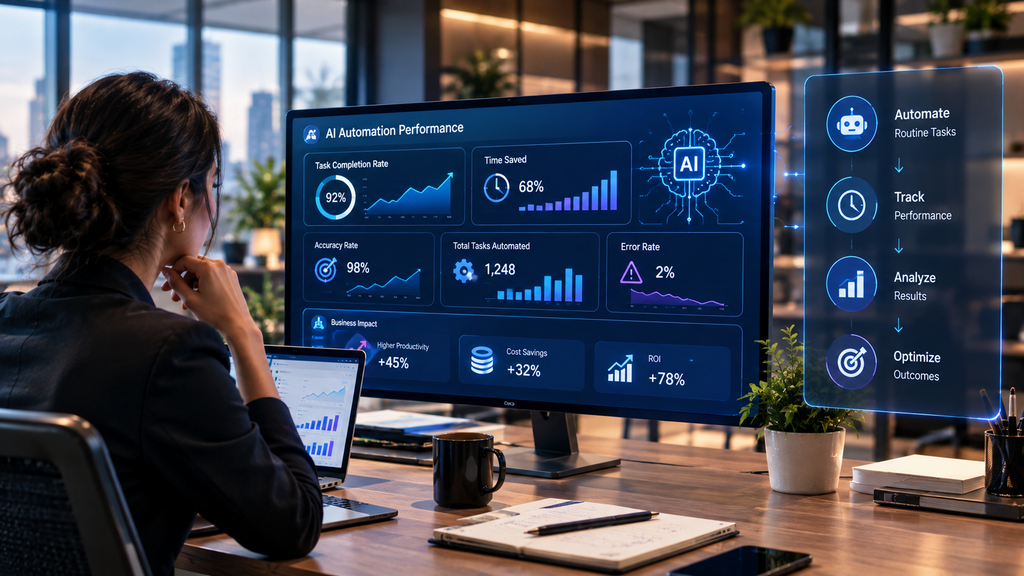
Before deploying an AI agent, establish a baseline.
Suppose employees currently spend 500 hours per month processing customer inquiries.
After automation, perhaps the process requires only 200 hours of human involvement.
That provides a measurable change.
But businesses should also measure quality.
| Metric | Before Automation | After Automation |
|---|---|---|
| Average processing time | Measure baseline | Track new average |
| Manual hours | Measure baseline | Compare monthly |
| Error rate | Record existing rate | Monitor after launch |
| Escalation rate | Record existing rate | Monitor |
| Customer satisfaction | Record baseline | Compare |
| Cost per task | Calculate | Recalculate |
| Human review time | Calculate | Monitor |
The objective is not simply to make AI perform more tasks.
The objective is to improve the overall business process.
AI Agents for Small Businesses
AI automation is not limited to large enterprises.
Small businesses can also benefit from automating repetitive digital work.
A small company might use AI to:
- Organize leads
- Respond to common inquiries
- Prepare content
- Summarize meetings
- Process documents
- Monitor websites
- Generate reports
- Manage internal knowledge
- Assist with customer service
The important thing is to start small.
A company does not need a complicated multi-agent architecture on day one.
One useful workflow can provide more practical value than ten poorly designed automations.
AI Agents for Marketing Teams
Marketing involves many repetitive activities that can be assisted by AI.
A marketing team may need to:
- Research topics
- Monitor competitors
- Analyze content
- Organize keywords
- Prepare briefs
- Draft social posts
- Update old content
- Review performance
- Prepare reports
AI agents can coordinate parts of these workflows.
For example:
Content performance data → Identify declining pages → Analyze existing content → Prepare update recommendations → Send to editor
The editor can then make the final decision.
This combination of automation and human expertise can be more practical than attempting to automate the entire publishing process.
AI Agents for Sales Teams
Sales teams often spend significant time on administrative work.
An AI agent can assist with:
- Lead research
- Lead classification
- CRM updates
- Meeting summaries
- Follow-up preparation
- Sales research
- Customer information organization
A simple workflow could be:
New lead → Research approved information → Create summary → Classify lead → Update CRM → Prepare follow-up
Salespeople can then spend more time communicating with prospects.
AI Agents for Customer Service
Customer service is one of the most obvious applications because many questions are repetitive.
However, the best customer-support automation usually separates routine and complex issues.
Routine
AI can potentially handle:
- Basic product questions
- General information
- Status requests
- Simple instructions
Complex
Human representatives can handle:
- Complaints
- Legal concerns
- Billing disputes
- Security problems
- Sensitive customer situations
- Unusual cases
The AI system acts as the first layer while human support remains available when needed.
AI Agents and Data Extraction
Data extraction is another area where AI can help.
Traditional extraction works well when information is consistently structured.
For example:
| Name | Phone | |
|---|---|---|
| John Smith | john@example.com | 555-0100 |
But real-world documents may not follow the same structure.
Information can appear in:
- PDFs
- Emails
- Scanned documents
- Web pages
- Reports
- Customer messages
- Contracts
AI can help interpret the content and identify relevant fields.
A practical workflow could be:
Document → AI identifies content → Extract fields → Validate → Store structured data → Human review if necessary
FancyAI Agents and Modern Automation
Businesses researching agent-based automation may also encounter concepts such as FancyAI agents.
AI agents are increasingly being discussed as systems that can move beyond individual prompts and participate in multi-step workflows.
A modern agent may receive a goal, process context, use connected tools, perform actions, and evaluate results.
The exact capabilities depend on the implementation.
Businesses should therefore evaluate an agent based on:
- Supported integrations
- Reliability
- Permissions
- Workflow capabilities
- Monitoring
- Security
- Human oversight
- Cost
- Maintenance requirements
The label itself is less important than the actual functionality.
Custom AI Agent Development
Off-the-shelf AI tools can be useful, but some businesses eventually need custom solutions.
Custom AI agent development may be relevant when a company has:
- Specialized workflows
- Proprietary information
- Complex integrations
- Unique business rules
- Specific security requirements
- Multiple systems that need to communicate
- Specialized approval processes
A custom agent can be designed around the company’s actual workflow instead of forcing the business to adapt everything to a generic application.
However, custom development also introduces additional requirements such as testing, maintenance, security, monitoring, and ongoing optimization.
Businesses should first determine whether customization is actually necessary.
Privacy and Sensitive Information
Businesses should be especially careful when AI workflows involve personal or confidential information.
Examples include:
- Customer records
- Financial information
- Employee data
- Health information
- Passwords
- Private documents
- Internal business plans
Only the necessary information should be made available to the agent.
Organizations should also understand how the AI provider handles submitted information and what data controls are available.
Can AI Agents Replace Employees?
The answer depends on the task.
AI agents can automate some activities that employees currently perform.
But a task is not the same thing as an entire job.
A job may contain dozens of responsibilities.
AI might automate:
- Data entry
- Basic classification
- Routine reporting
- Information retrieval
while people continue handling:
- Strategy
- Leadership
- Negotiation
- Relationships
- Creative direction
- Complex judgment
- Accountability
For many businesses, the practical question is not:
“Can AI replace this employee?”
It is:
“Which parts of this employee’s workflow can AI handle responsibly?”
That is a much more useful starting point for automation planning.
The Importance of Human Judgment
AI can process large amounts of information quickly, but speed does not automatically equal accuracy.
Humans remain important for decisions involving:
- Context
- Ethics
- Business strategy
- Relationships
- Accountability
- Ambiguous situations
- High-impact consequences
A strong AI workflow therefore combines machine efficiency with human judgment.
The Future of AI Agent Automation
AI automation is moving toward systems that can handle broader workflows rather than isolated tasks.
Instead of asking an AI system to complete one action at a time, businesses may increasingly define larger objectives.
For example:
“Process new customer inquiries.”
The AI system could then coordinate:
- Reading the request
- Understanding intent
- Finding customer information
- Checking relevant documentation
- Categorizing the inquiry
- Updating records
- Preparing communication
- Escalating when necessary
This does not mean every process will become fully autonomous.
In many business environments, controlled autonomy will be more practical than unlimited autonomy.
The future of AI automation is therefore likely to involve a mixture of:
AI + automation + business context + integrations + human oversight
Final Thoughts
AI agents are changing the way businesses think about automation.
Traditional automation remains extremely useful for predictable tasks, but AI agents can add another layer of intelligence to workflows involving language, unstructured information, changing conditions, and multi-step processes.
Businesses can use AI agents to assist with customer support, sales, marketing, research, data processing, reporting, document handling, internal knowledge, web automation, and many other repetitive activities.
The biggest opportunity is not necessarily to automate everything.
It is to identify the right tasks.
A successful AI agent should have a clear objective, relevant business context, appropriate permissions, reliable tools, measurable performance, and well-defined human escalation.
Businesses should start with one practical workflow, measure the results, improve the process, and expand gradually.
As AI technology develops, agents are likely to become increasingly integrated with business software and operational workflows. Companies that approach this technology thoughtfully can use AI to reduce repetitive work while keeping people responsible for the decisions that require human judgment.
The future of business automation is not simply about machines doing more.
It is about building better workflows in which AI handles appropriate repetitive work and people focus on the areas where human expertise creates the most value.
Frequently Asked Questions
What is an AI agent?
An AI agent is an AI-powered software system designed to work toward a defined objective by interpreting information, using available tools, and performing actions within specific permissions.
How can AI agents automate repetitive business tasks?
AI agents can read information, classify requests, retrieve data, interact with connected software, prepare responses, update records, and coordinate multi-step workflows according to predefined instructions and permissions.
Are AI agents better than traditional automation?
Neither is universally better. Traditional automation is often effective for predictable rule-based tasks, while AI agents can be useful for workflows that require interpretation, natural language processing, or changing information.
Can small businesses use AI agents?
Yes. Small businesses can use AI agents for tasks such as lead qualification, customer support, research, reporting, document processing, data organization, and other repetitive digital workflows.
Can AI agents work with existing business software?
Yes, when the required integrations and permissions are available. Agents can potentially interact with CRMs, email platforms, databases, knowledge bases, project-management tools, and other applications.
Do AI agents need human supervision?
Many business workflows benefit from human supervision, especially when decisions involve sensitive information, money, legal issues, security, or significant customer impact.
Can AI agents completely replace employees?
AI agents can automate individual tasks, but a job usually contains many different responsibilities. Businesses can use AI to reduce repetitive work while employees continue handling judgment, strategy, communication, creativity, and accountability.
What is human-in-the-loop AI automation?
Human-in-the-loop automation means AI performs certain workflow steps while a person reviews or approves important actions before they are completed.
How do I choose a task for AI automation?
Start with a task that happens frequently, consumes significant time, follows a reasonably clear process, and can be measured. Avoid starting with highly sensitive or poorly defined processes.
Are AI agents secure?
Security depends on how the system is designed and implemented. Businesses should control permissions, protect sensitive information, monitor activity, use appropriate authentication, and establish human approval for important actions.
What is the difference between an AI bot and an AI agent?
An AI bot is a broad term for an AI-powered system that can perform specific tasks. An AI agent generally refers to a system that can work toward a goal through multiple steps using context and connected tools.
Can AI agents automate customer support?
Yes. AI agents can assist with customer-support workflows such as classifying requests, retrieving approved information, preparing responses, and escalating complex issues to human representatives.
Can AI agents automate sales tasks?
Yes. AI agents can assist with lead research, lead qualification, CRM updates, meeting summaries, follow-up preparation, and other repetitive sales operations.
Can AI agents automate marketing?
AI agents can assist with research, content workflows, reporting, data organization, campaign support, and repetitive marketing operations. Human review remains important for quality, accuracy, and brand decisions.
What is the first step toward AI agent automation?
The first step is to identify a specific repetitive business process and document how it currently works. Once the workflow is understood, determine which steps can be automated and which require human involvement.
Related Reading
Businesses exploring AI agent automation can also learn more about related concepts through these resources:
- AI Business Context Refinement: Understanding how business-specific information, rules, workflows, and knowledge can improve AI-driven processes.
- FancyAI Agents: Exploring how AI agents can handle multi-step tasks and workflows.
- AIBot: Understanding the difference between AI bots, chatbots, assistants, and agent-based automation.
- Custom AI Agent Development Services: Learning when a business may need a custom AI agent instead of a standard AI solution.
- Will AI Take Over the World?: Examining the broader benefits, risks, limitations, and human-control questions surrounding increasingly capable AI systems.