
Most businesses don’t lack tools. They lack time. Someone copies data from one tab to another, someone answers the same five customer questions every morning, and someone chases a report that should have arrived on its own.
Artificial intelligence is changing how companies handle these everyday responsibilities. Some AI tools generate content or answer questions, while others help manage customer interactions, organize information, and complete business workflows.
The AI System Zanus takes a broader approach. Developed by Zanus AI, it brings together customer-facing artificial intelligence, internal business automation, and private AI infrastructure. Its purpose is to help businesses manage different operations through connected AI capabilities rather than relying entirely on manual processes.
This guide explains what Zanus does, how its products work, where businesses can use them, and what to consider before adopting the technology. If you want the bigger picture first, explore our article on how AI and automation are changing the way we work.
What Is the AI System Zanus?
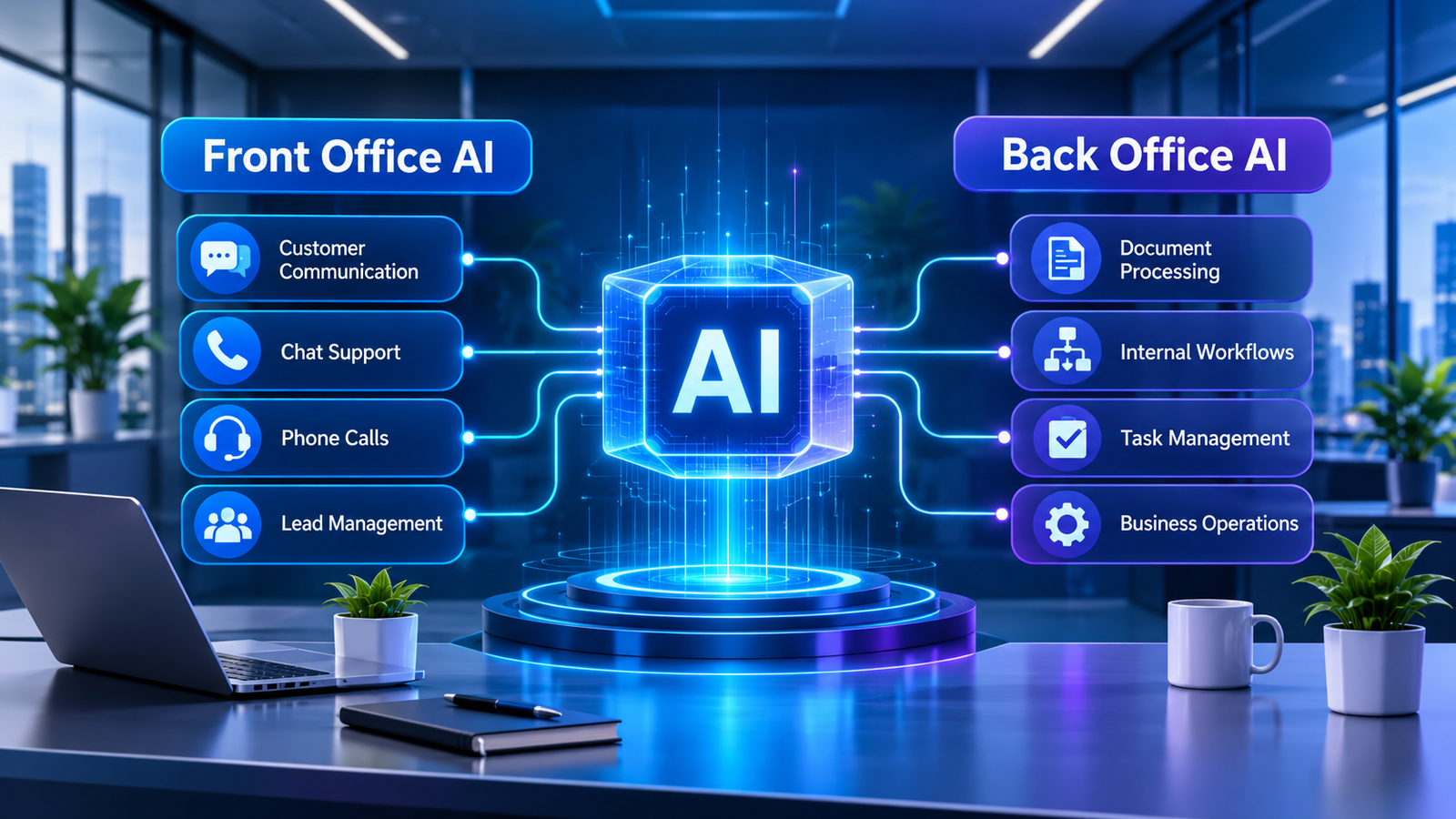
Zanus is a business-focused AI platform developed by Zanus AI. It combines three main layers: Front Office AI, Back Office AI, and AI Servers.
Each layer addresses a different business requirement.
- Front Office AI: Handles customer-facing activities such as phone calls, website chats, emails, lead management, quotations, and appointment booking.
- Back Office AI: Supports internal operations, including document processing, task management, project tracking, and workflow automation.
- AI Servers: Provide on-premises AI infrastructure for organizations that want to operate AI systems within their own environments.
This makes Zanus different from a simple chatbot or standalone writing assistant. Its products are designed to connect artificial intelligence with actual business activities.
For example, a company could use Front Office AI to handle incoming customer inquiries while Back Office AI helps employees organize internal information and manage routine tasks.
Organizations with particular infrastructure requirements can also explore its separate AI server solutions.
This approach is closely related to intelligent automation in business, where AI and traditional automation work together to improve operational processes.
How the AI System Zanus Works
The exact process depends on the product and workflow a business chooses. However, the general idea is to connect incoming information with relevant business knowledge and authorized actions.
Consider a customer who visits a company’s website and asks about a particular service.
The process may look like this:
1. Input: The customer submits a question through website chat, email, or another supported communication channel.
2. Understanding: The AI interprets the request and identifies the information needed to respond.
3. Knowledge retrieval: It uses the company’s configured information, such as product details, service descriptions, and business policies.
4. Action: Depending on the configuration, it can answer the inquiry, qualify a lead, prepare a quotation, or help arrange an appointment.
5. Human involvement: Requests requiring additional attention can be directed to an employee.
Internal workflows follow a similar principle but focus on company operations rather than customer communication.
For example, Back Office AI can help employees process documents, retrieve internal information, and organize tasks.
An important distinction is that these are examples of product capabilities, not a guarantee that every task is completed automatically in every configuration.
For a neutral introduction to the underlying technology, read IBM’s overview of artificial intelligence.
The Three Main Layers of Zanus AI
Understanding these three layers is important because they explain what the platform actually offers.
1. Front Office AI: Managing Customer Interactions

Front Office AI is designed to support the activities that happen between a business and its customers.
Companies regularly receive questions through phone calls, emails, website forms, and live chat. Responding to every inquiry manually can consume considerable time, particularly when customers contact the business outside working hours.
Zanus Front Office brings several customer-facing capabilities together.
These include:
- Answering incoming telephone calls.
- Managing website chat and voice conversations.
- Responding to customer emails.
- Collecting and qualifying new leads.
- Providing interactive product demonstrations.
- Preparing quotations.
- Booking appointments through connected calendars.
- Supporting customer communication in up to 40 languages.
For example, imagine a company that sells software to customers in different countries.
A potential customer visits its website at night and asks about pricing. The AI can use the company’s configured product information to respond and help the visitor move toward a demonstration or sales appointment.
This can reduce delays and make it easier for businesses to manage incoming inquiries.
However, complex negotiations, sensitive complaints, and unusual requests may still require human involvement.
2. Back Office AI: Supporting Internal Operations
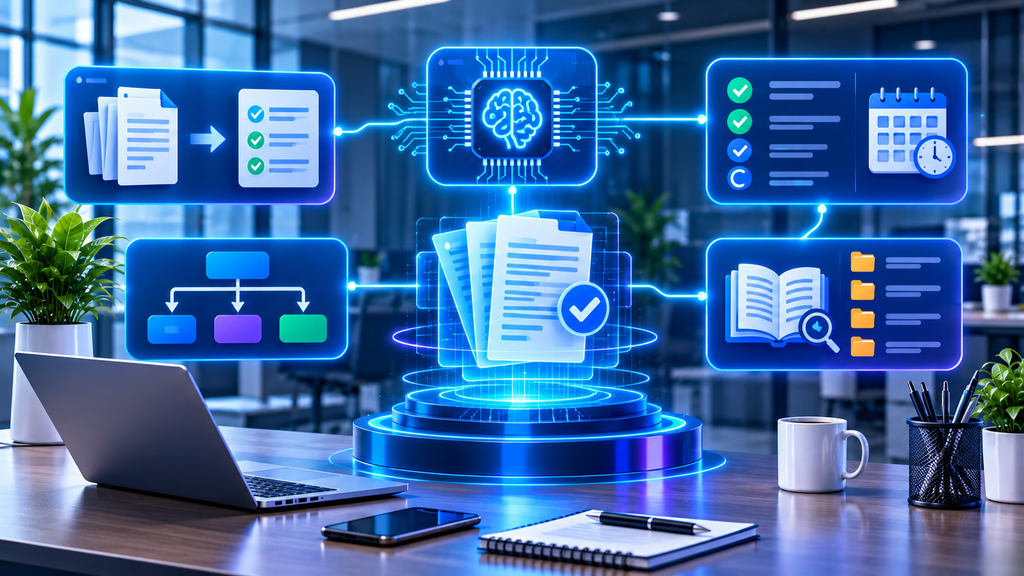
Customer communication is only one part of running a business. Employees also spend time managing documents, tracking projects, searching for information, and completing administrative tasks.
Back Office AI focuses on these internal responsibilities.
Its capabilities include:
- Reading and drafting documents.
- Organizing tasks and projects.
- Retrieving information from company knowledge.
- Supporting internal procedures.
- Creating visual automated workflows.
- Managing scheduled AI activities.
Consider a company that receives supplier documents every week.
Employees may need to review the files, extract important information, and organize the details before preparing a report.
AI-assisted document processing can help reduce this repetitive workload.
Similarly, employees can use internal knowledge retrieval to find relevant company procedures without manually searching through multiple documents.
Zanus also describes a verification approach designed to ground internal answers in available sources rather than presenting unsupported claims.
This is particularly important because businesses need reliable information when using AI for operational activities.
3. AI Servers: Private AI Infrastructure

The third layer is different from the two software products.
Zanus also offers AI server solutions for organizations that want to operate AI infrastructure on their own premises.
This option may interest companies with specific requirements involving infrastructure ownership, data handling, or deployment arrangements.
Instead of depending entirely on hosted AI services, an organization can evaluate a dedicated hardware and software environment.
Potential considerations include:
- Hardware configuration.
- AI workload requirements.
- Data storage arrangements.
- Access permissions.
- Maintenance and updates.
- Security and backup responsibilities.
An on-premises deployment does not automatically eliminate security risks. Organizations still need proper access controls, monitoring, and maintenance.
Businesses should also evaluate the costs and technical resources required before choosing this option.
It is important to understand that AI Servers are a separate offering. Not every business using Zanus Front Office or Back Office needs dedicated server hardware.
Where the AI System Zanus Actually Helps in Business
The value of an AI platform depends on the problems it can solve.
Here are some practical situations where Zanus’s capabilities may be useful.
Customer Support
Customer support teams frequently answer similar questions about products, services, appointments, and business policies.
Front Office AI can help manage routine inquiries through supported communication channels.
For example, a customer asking about a service may receive an answer based on the company’s approved information. If the request requires personal attention, the conversation can be escalated to an employee.
This can help businesses manage routine communication without expecting staff to respond manually to every message.
Lead Handling and Sales
Responding quickly to new inquiries is important for businesses that depend on online leads.
When a potential customer submits a form, the business needs to understand their requirements and decide what should happen next.
Front Office AI can assist with lead qualification, follow-up communication, product demonstrations, and appointment scheduling.
For example, a visitor interested in a software product may receive relevant information and an invitation to book a demonstration.
The sales team can then focus on prospects who need additional discussion.
This approach also connects with conversion rate optimization and AI automation, where improving the customer journey can help businesses make better use of their website traffic.
Internal Workflows
Many employees repeat the same administrative activities every day.
These may include organizing documents, updating information, tracking tasks, and finding answers to internal questions.
Back Office AI can support these activities by making company information easier to access and helping coordinate workflows.
However, businesses should first identify which tasks are suitable for automation and which require human judgment.
Document Management
Companies often work with invoices, reports, contracts, supplier documents, and other business records.
Reviewing these files manually can take considerable time.
AI-assisted document processing can help extract important details, prepare summaries, and organize information.
Employees should still verify important information, particularly when documents involve financial, legal, or contractual decisions.
Appointment Management
Businesses that depend on scheduled meetings often spend time coordinating calendars and responding to booking requests.
Front Office AI can help customers arrange appointments through supported calendar integrations.
For example, a potential client could request a meeting during a phone conversation or website chat.
The system can assist with checking availability and arranging the appointment according to its configured booking rules.
Benefits You Can Realistically Expect
AI automation can provide practical advantages when businesses use it for the right activities.
More Time for Important Work
Employees often spend hours on repetitive administrative tasks.
Automating suitable activities can give teams more time for customer relationships, planning, and decisions that require human experience.
Faster Customer Responses
Businesses receiving inquiries outside normal working hours may struggle to respond immediately.
AI-powered communication can help manage routine requests and provide a faster initial response.
Better Information Organization
AI can assist with document processing and internal knowledge retrieval, making relevant business information easier to find.
Support for Business Growth
As companies grow, the number of customer inquiries, documents, appointments, and internal tasks usually increases.
AI can help manage some of this additional workload without increasing manual effort at the same rate.
More Flexible Infrastructure Options
Zanus’s separate AI server offering gives organizations another deployment option when they want to evaluate on-premises AI infrastructure.
The suitability of this approach depends on technical requirements, security policies, and available resources.
One important point remains: AI will not automatically fix an inefficient business process. If the original process is confusing, automating it may simply make the problem harder to manage.
Things to Consider Before Using an AI System

Before choosing Zanus or another AI platform, businesses should evaluate several important factors.
Data Quality
AI systems depend on the information available to them.
If product descriptions, company policies, or internal records are incomplete or outdated, the system may struggle to provide useful responses.
Businesses should review their information before connecting it to an AI platform.
Human Oversight
Not every task should be completed without human approval.
Refund decisions, legal matters, sensitive customer complaints, and important financial activities may require additional review.
Companies should establish clear rules about which actions AI can perform independently and which require an employee.
Privacy and Security
Businesses should understand how information is processed, stored, and accessed.
Important questions include:
- Where is company information stored?
- Who can access internal records?
- What security controls are available?
- How are permissions managed?
- What happens when an employee leaves the organization?
For a useful framework for evaluating AI-related risks, consult the NIST AI Risk Management Framework.
Integration Compatibility
Companies may already use CRM platforms, calendars, email applications, and project-management software.
Before adopting an AI solution, check whether it supports the integrations needed for your existing operations.
Costs and Technical Requirements
Different AI products have different pricing and implementation requirements.
Businesses should evaluate software subscriptions, usage, integrations, support, and infrastructure costs before making a decision.
For on-premises servers, hardware maintenance and technical management should also be included in the overall budget.
How to Get Started With Zanus
A practical implementation does not need to begin with every available feature.
Start with a specific business problem and expand gradually.
Step 1: Identify repetitive tasks
List the activities your team performs regularly. Customer inquiries, appointment scheduling, and document processing are possible starting points.
Step 2: Choose the appropriate product
Determine whether the requirement involves Front Office AI, Back Office AI, or private AI infrastructure.
Step 3: Review your existing systems
Check the communication channels, software, calendars, and business information that need to work with the platform.
Step 4: Test with real examples
Use realistic customer questions and internal tasks to evaluate the quality of the results.
Step 5: Review the results
Measure response times, task completion, errors, and the amount of employee involvement required.
Step 6: Expand carefully
Once the initial workflow is reliable, consider introducing additional automation.
If you are still exploring the possibilities, our AI Tools section provides more information about technologies that can support modern business operations. Our How-To Guides also cover practical ways to use AI and automation.
You can also explore our guide on how to use AI agents for business automation.
Is Zanus AI Suitable for Every Business?
Not necessarily.
A small business that only needs to automate a basic email response may not require a complete AI operating environment.
On the other hand, a company managing multiple customer communication channels and internal workflows may find a broader platform more useful.
Organizations with specific infrastructure requirements may also want to evaluate the AI server offering.
The right decision depends on several factors:
- The size and complexity of business operations.
- The number of repetitive activities.
- Existing software and integrations.
- Data security requirements.
- Available budget.
- The level of technical support required.
Rather than choosing an AI system because it has many features, businesses should focus on whether it solves a genuine operational problem.
Final Thoughts
The AI System Zanus is designed to bring artificial intelligence into different parts of business operations.
Its Front Office AI focuses on customer communication and sales activities, while Back Office AI supports internal workflows and business information. Its separate AI server offering provides another option for organizations interested in operating private AI infrastructure.
These capabilities make Zanus worth exploring for businesses looking to reduce repetitive work, manage customer inquiries, and improve internal operations.
However, successful automation requires more than installing software. Businesses need accurate information, suitable workflows, appropriate security controls, and human supervision where necessary.
The most useful AI system is not necessarily the one with the largest feature list. It is the one that solves real problems reliably and fits the way a business operates.
As AI technology continues to develop, platforms such as Zanus demonstrate how artificial intelligence is moving beyond simple conversations and becoming part of everyday business processes.
Frequently Asked Questions
1. What is the AI System Zanus?
Zanus is a business-focused AI platform developed by Zanus AI. It offers Front Office AI, Back Office AI, and separate on-premises AI server solutions.
2. What does Zanus AI do?
It supports customer communication, lead management, appointment scheduling, document processing, internal knowledge retrieval, and business workflow automation.
3. Is Zanus AI just a chatbot?
No. Although it includes conversational AI capabilities, its broader product offering covers customer-facing operations, internal business workflows, and private AI infrastructure.
4. What is Zanus Front Office AI?
Front Office AI focuses on customer-facing activities such as phone calls, website chats, email communication, lead qualification, quotations, and appointment booking.
5. What is Zanus Back Office AI?
Back Office AI supports internal business operations, including document processing, task and project management, knowledge retrieval, and automated workflows.
6. Does Zanus offer private AI servers?
Yes. Zanus offers separate on-premises AI server solutions for organizations that want to operate AI infrastructure within their own environments.
7. Can small businesses use Zanus AI?
Small businesses can evaluate its software products for customer communication and internal operations. Suitability depends on their requirements, budget, and expected workload.
8. Can Zanus AI automate customer service?
Its Front Office product is designed to assist with customer communication through supported channels such as telephone, website chat, and email.
9. Does Zanus AI support multiple languages?
According to its official Front Office product information, it supports customer communication in up to 40 languages.
10. Is Zanus AI suitable for every company?
No. Businesses should evaluate its features, pricing, integrations, security arrangements, and implementation requirements before adopting it.